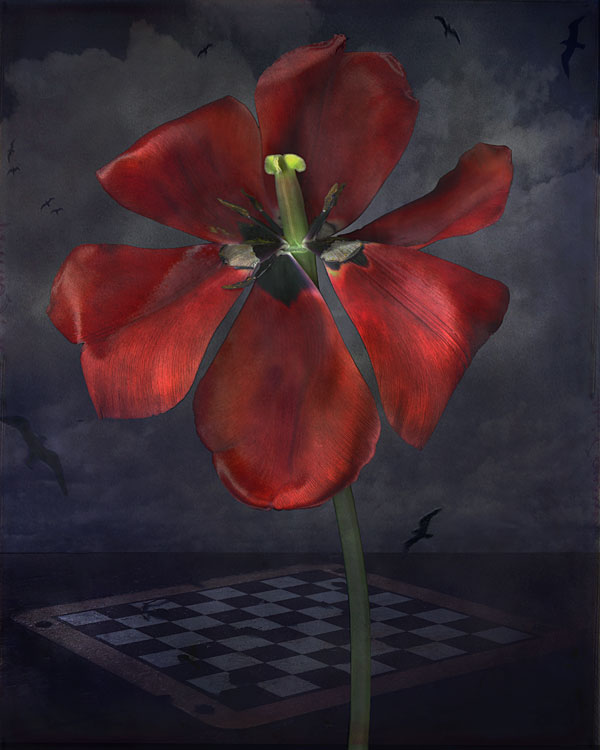
Please go see his site and notice how his work tells the story without being OBVIOUS!!!
Here's the link....
Friday, June 3, 2011
Design 2 Final project!!
It's that time again!!
Final project is to create a visual product that will "Teach the Academy". Here's the handout (s)....
Wednesday, May 25, 2011
John Grant's Scanned art images
What wonderful examples of using the scanner as a camera!! Notice how he uses "Layers" of objects in each image...
See more of his work at this link...
![]() |
| Samurai Summer |
![]() |
| Rouge et Noir |
![]() |
| Blue Planet |
Tuesday, May 17, 2011
Mathieu Raynault's Matte Paintings
Another interesting use for your Photoshop skills- background images for movies and games, matte paintings. These creative designers use Photoshop, Painter, or other rendering programs - with a tablet- to draw and digitally paint these amazing scenes!!!
Notice their use of light and shadows, as well as perspective and atmosphere.
Check out Mathieu's work at this link...
Notice their use of light and shadows, as well as perspective and atmosphere.
Check out Mathieu's work at this link...
Tuesday, May 10, 2011
Nancy Skolos and Thomas Wedell , Graphic Designer's At Work!
Look at how they have use images, type, lines, shapes and values to create a dramatic series of posters advertising an artist's grant program....
Here is a link to their web site.....
I encourage you to use some of these techniques in your own work....
Here is a link to their web site.....
I encourage you to use some of these techniques in your own work....
Learning About The Anatomy Of Type...
As we are learning about typography, I thought of some easy ways to teach you the vocabulary used in talking about the structure of the letter forms you are using.
Here is a diagram explaining the anatomy
Here's the link.... to a video on the same topic...
And another copy of the video....
Here is a diagram explaining the anatomy
Here's the link.... to a video on the same topic...
And another copy of the video....
Monday, May 9, 2011
Friday, May 6, 2011
Work the Grid!!
Using Photoshop, and the "grid" feature, build a visual design of images and type. Use the grid as an underlying "structure" or guide to align shapes text and objects on the page. Any object that is "off the grid" will stand out and get our attention- use that to lead the viewer through the image.
Learn more about the grid and it's use in layout and web design here...
Here's a sample of what I mean.....
Learn more about the grid and it's use in layout and web design here...
Here's a sample of what I mean.....
![]() |
| Here's the photoshop file with the grid visible |
![]() |
| The completed image with grid turned off |
Wednesday, May 4, 2011
Subscribe to:
Posts (Atom)